Understanding tvOS 26.5: Stability Improvements and What Changed
Apple has rolled out tvOS 26.5 for Apple TV and HomePod devices. While this update doesn't introduce any flashy new features, it focuses on critical behind-the-scenes fixes that improve system stability and overall performance. As is typical for many tvOS updates, the primary goal is to ensure your devices run smoothly. This release follows the more notable tvOS 26.4, which removed the iTunes Movies and TV Shows apps. Below, we answer common questions about this update.
What is tvOS 26.5 and who is it for?
tvOS 26.5 is a minor system update for Apple TV HD, Apple TV 4K, and HomePod (including HomePod mini). It is a free download available through the Settings app on your Apple TV or via the Home app for HomePods. The update is designed for all users who want to keep their devices up to date with the latest stability and performance enhancements. Even though no new features are introduced, installing it is recommended to maintain optimal device operation and security.
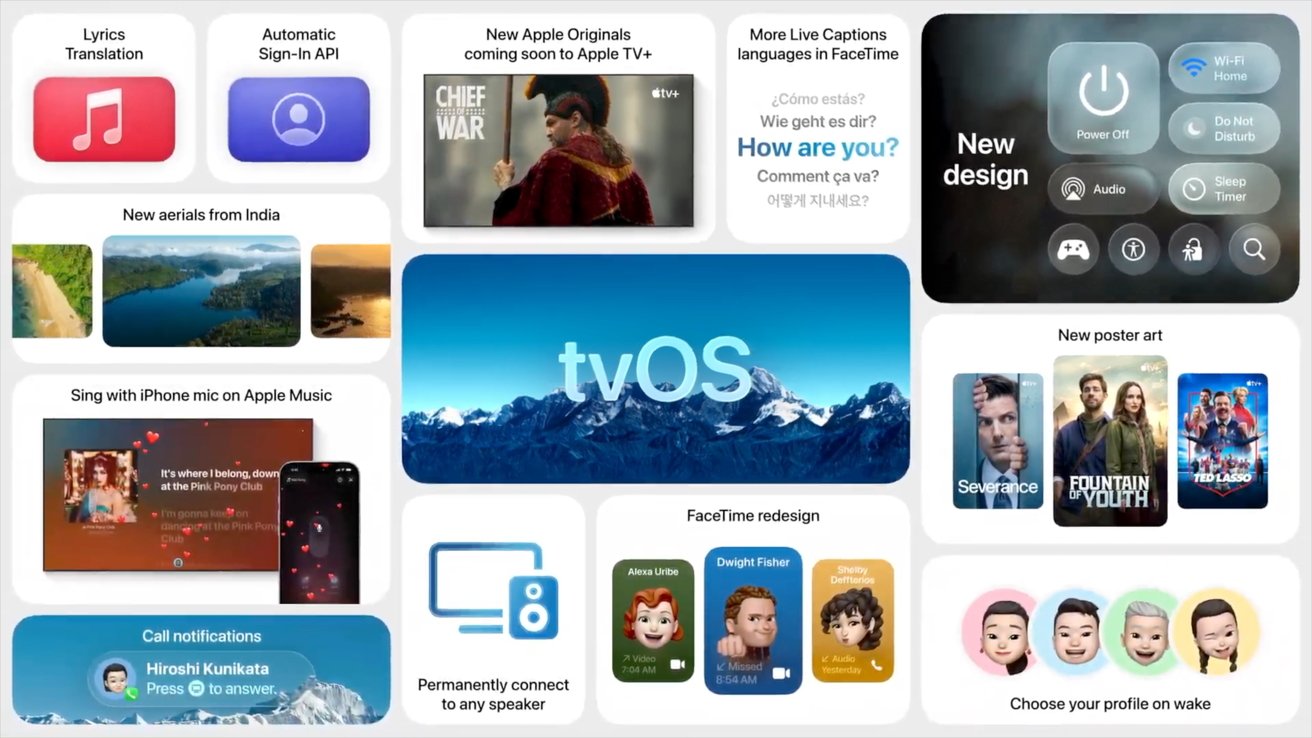
What new features does tvOS 26.5 bring?
Unlike some past updates that introduced redesigned Control Center or new screensavers, tvOS 26.5 does not add any visible new features. Instead, it is a stability and performance update. Apple's release notes typically describe such updates as including "general performance and stability improvements." For most users, the experience will feel identical to tvOS 26.4 after the update. The real value lies in under-the-hood fixes that improve system reliability, fix bugs, and patch potential security vulnerabilities.
Why are stability updates like tvOS 26.5 important?
Stability updates are crucial because they ensure your device functions properly over time. Even if you don't notice immediate changes, these updates resolve background issues such as memory leaks, app crashes, or network connectivity problems. They also patch security holes that could be exploited by malware or unauthorized access. For a device that serves as a hub for streaming, smart home control, and media playback, keeping it stable prevents interruptions. By installing tvOS 26.5, you help your Apple TV or HomePod run more reliably, especially after prolonged use or after installing third-party apps.
What changed in tvOS 26.4?
The previous update, tvOS 26.4, was more significant because it removed the iTunes Movies and iTunes TV Shows apps from the Apple TV interface. These apps were once the primary way to rent or purchase content through iTunes. Apple has been consolidating its media services, and the removal shifted users toward the Apple TV app for all movie and TV show purchases. While tvOS 26.5 does not include such a major change, it ensures that the transition remains smooth by fixing any bugs that arose from the reorganization initiated in tvOS 26.4.

How to install tvOS 26.5 on Apple TV?
Installing tvOS 26.5 is straightforward:
- On your Apple TV, go to Settings > System > Software Updates.
- Select Update Software.
- If tvOS 26.5 is available, click Download and Install.
- Your Apple TV will restart after the update is applied.
For HomePod, open the Home app on your iPhone/iPad, tap the Home icon, choose Home Settings, then Software Update, and select Update All if available. Ensure your device remains connected to power and Wi-Fi during the process.
Does tvOS 26.5 affect HomePod performance?
Yes. Since HomePod runs a variant of tvOS, this update applies to HomePod and HomePod mini as well. It improves audio stability, reduces latency in Siri responses, and fixes potential issues with HomeKit automations. Users may notice more consistent multi-room audio playback and fewer dropouts when streaming via AirPlay. While no new sound features are advertised, the underlying tweaks help maintain the high-quality audio experience Apple is known for. HomePod owners are strongly encouraged to update to avoid compatibility problems with future HomeKit accessories.
Should I install tvOS 26.5?
Absolutely. Even though tvOS 26.5 lacks exciting new features, it is a recommended update for all users. The stability improvements and security patches help protect your device and ensure it continues to work well with streaming services, apps, and smart home devices. If you have automatic updates enabled, your Apple TV or HomePod may already be updated. If not, take a few minutes to install it manually. Future updates will build on this foundation, so keeping current is essential for a smooth experience.
Related Articles
- How to Cultivate a Community That Drives AI Innovation: Lessons from Stack Overflow and the Rural GMI Study
- How to Respond to Recent Tech Industry Shifts: Windows Update Enhancements, New Steam Controller, and reMarkable Workforce Changes
- Navigating the Human-in-the-Loop: A Practical Guide to Unautomated Responsibility
- Navigating the Tech Revolution: A Comprehensive Guide to Using Tom's Hardware Premium
- How to Install Windows 11 KB5083631 Update and Make the Most of Its 34 Improvements
- Python 3.15: A Deep Dive into the Most Impactful New Features
- Plex Shocks Users with 200% Price Hike on Lifetime Pass – Set to Cost $750 Starting July 2026
- React Native 0.83: Enhanced with React 19.2, Revamped DevTools, and Performance APIs